實際有效的生產資料庫備份策略:MySQL 和 PostgreSQL
適用於生產中的 MySQL 和 PostgreSQL 的經過驗證的備份和恢復策略
 Balinder Walia2026年4月12日19 min read
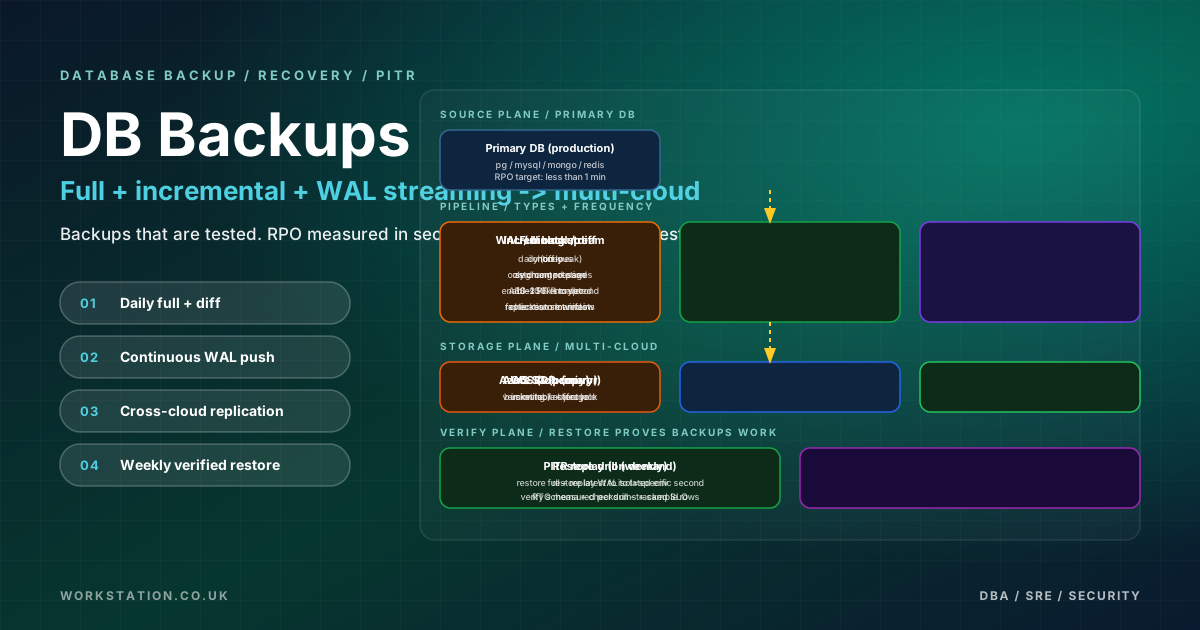
丟失生產資料是一種導致職業生涯結束、公司倒閉、並因各種錯誤原因登上駭客新聞頭版的事件。然而,大多數團隊將資料庫備份視為事後的想法——這是某人兩年前設定的 cron 作業,此後無人驗證。本文列出了經過實戰考驗的 MySQL 和 PostgreSQL 備份策略,這些策略已在從單節點 k3s 叢集到每天處理數百萬筆交易的多區域雲部署等生產環境中得到驗證。
我們將涵蓋全方位:邏輯和物理備份方法、時間點恢復、自動排程、雲端儲存目標、加密、驗證、Kubernetes 原生方法以及將所有這些方法聯絡在一起的災難恢復規劃。每項建議都附帶具體的配置和程式碼,您可以根據自己的環境進行調整。
瞭解備份型別
在深入研究特定工具之前,您需要對四種基本備份策略以及它們如何與恢復目標互動有一個清晰的思維模型。每種策略都會在備份速度、儲存消耗和恢復時間之間進行不同的權衡。
完整備份在單個時間點捕獲整個資料庫。它是最簡單的推理和最快的恢復,但也是最昂貴的儲存和最慢的建立。增量備份僅捕獲自上次任何型別的備份以來更改的資料。建立和壓縮儲存的速度很快,但恢復需要重播整個鏈:最後一個完整備份加上每個後續增量。差異備份捕獲自上次完整備份以來發生的所有更改。它佔據了中間地帶——比增量更大,但恢復更簡單,因為您只需要最後一個完整的加上最新的差異。最後,連續歸檔(PostgreSQL 中的 WAL 歸檔,MySQL 中的二進位制日誌流)捕獲發生的每個單獨事務,從而實現備份之間任意時刻的時間點恢復。
大多數生產系統的最佳策略是組合:每週完整備份、每日增量或差異備份以及連續 WAL/binlog 歸檔。 這使您既可以從最近的完整備份中快速恢復,又可以在需要時恢復到任何時間點。
MySQL 備份方法
MySQL 提供多種備份工具,每種工具適合不同的資料庫大小和恢復要求。正確的選擇取決於您的資料量、可接受的備份視窗和 RTO/RPO 目標。
mysqldump — 通用邏輯備份
mysqldump生成重新建立架構和資料的 SQL 語句。它適用於每個 MySQL 版本和儲存引擎,使其成為通用後備方案。但是,它會在轉儲期間鎖定表(除非將--single-transaction與 InnoDB 一起使用),並且對於超過 50-100 GB 的資料庫,恢復速度會顯著降低,因為它會重放各個 INSERT 語句。
# Full logical backup with consistent snapshot for InnoDB
mysqldump --single-transaction --routines --triggers --events \
  --set-gtid-purged=ON --all-databases \
  | gzip > /backups/mysql-full-$(date +%Y%m%d-%H%M%S).sql.gz

# Single database backup with compression
mysqldump --single-transaction --routines --triggers \
  --databases production_db \
  | pigz -p4 > /backups/production_db-$(date +%Y%m%d).sql.gz

# Schema-only backup for migration planning
mysqldump --no-data --routines --triggers --events \
  --all-databases > /backups/schema-only-$(date +%Y%m%d).sql
mysqlpump — 並行邏輯備份
mysqlpump透過並行錶轉儲和內建壓縮對mysqldump進行了改進。它可以顯著減少具有許多獨立表的資料庫的備份時間。
# Parallel logical backup with 4 threads and zstd compression
mysqlpump --default-parallelism=4 --compress-output=ZSTD \
  --include-databases=production_db,analytics_db \
  --set-gtid-purged=ON \
  > /backups/mysql-pump-$(date +%Y%m%d).sql.zst
Percona XtraBackup — InnoDB
的物理備份對於大於 50 GB 的資料庫,邏輯備份變得不切實際 — 備份視窗和恢復時間都隨著資料大小線性增長。 Percona XtraBackup 在不鎖定資料庫的情況下獲取 InnoDB 資料檔案的物理級副本,使其適合多 TB 部署。
# Full physical backup with streaming to compressed archive
xtrabackup --backup --target-dir=/backups/full-$(date +%Y%m%d) \
  --user=backup_user --password=secure_pass \
  --parallel=4 --compress --compress-threads=4

# Incremental backup based on last full
xtrabackup --backup --target-dir=/backups/incr-$(date +%Y%m%d) \
  --incremental-basedir=/backups/full-20260412 \
  --user=backup_user --password=secure_pass \
  --parallel=4

# Stream full backup directly to S3 via xbstream
xtrabackup --backup --stream=xbstream --compress \
  --user=backup_user --password=secure_pass | \
  aws s3 cp - s3://db-backups/mysql/full-$(date +%Y%m%d).xbstream

# Prepare for restore (apply redo log)
xtrabackup --prepare --target-dir=/backups/full-20260412

# Prepare incremental on top of full
xtrabackup --prepare --apply-log-only --target-dir=/backups/full-20260412
xtrabackup --prepare --target-dir=/backups/full-20260412 \
  --incremental-dir=/backups/incr-20260412

# Restore
systemctl stop mysqld
xtrabackup --copy-back --target-dir=/backups/full-20260412
chown -R mysql:mysql /var/lib/mysql
systemctl start mysqld
MySQL 二進位制日誌 — 時間點恢復
MySQL 二進位制日誌記錄每個資料修改語句或行更改。當與完整備份或物理備份結合使用時,它們可以實現到備份後任意時刻的時間點恢復。
# Enable binary logging in my.cnf
[mysqld]
server-id = 1
log-bin = /var/log/mysql/mysql-bin
binlog_format = ROW
binlog_expire_logs_seconds = 604800   # 7 days
sync_binlog = 1
gtid_mode = ON
enforce_gtid_consistency = ON

# Flush and archive binary logs
mysqladmin flush-logs
mysqlbinlog --read-from-remote-server --host=db-primary \
  --raw --stop-never --result-file=/backup/binlogs/ \
  mysql-bin.000042

# Point-in-time recovery: replay binlog up to specific timestamp
mysqlbinlog --stop-datetime="2026-04-12 14:30:00" \
  /backup/binlogs/mysql-bin.000042 \
  /backup/binlogs/mysql-bin.000043 | mysql -u root
PostgreSQL 備份方法
PostgreSQL 的備份生態系統可以說比 MySQL 更豐富,擁有第一方工具和一套專為大規模生產環境構建的成熟社群解決方案。
pg_dump 和 pg_dumpall — 邏輯備份
與mysqldump一樣,pg_dump也產生邏輯備份。自定義格式 (-Fc) 是建議的預設格式,因為它支援並行恢復、選擇性表恢復和內建壓縮。
# Custom format with parallel dump (4 worker jobs)
pg_dump -Fc -j4 -f /backups/production-$(date +%Y%m%d).dump production_db

# Directory format for maximum parallelism on large databases
pg_dump -Fd -j8 -f /backups/production-$(date +%Y%m%d)/ production_db

# All databases including globals (roles, tablespaces)
pg_dumpall > /backups/pg-all-$(date +%Y%m%d).sql

# Parallel restore from custom format
pg_restore -j4 -d production_db_restored /backups/production-20260412.dump

# Selective restore: single table
pg_restore -j4 -d production_db -t orders /backups/production-20260412.dump
pg_basebackup — 物理備份基礎
pg_basebackup獲取整個 PostgreSQL 資料目錄的物理副本。它是獨立恢復和流複製設定的基礎。與 WAL 歸檔相結合,它可以實現時間點恢復。
# Physical backup with WAL files included
pg_basebackup -D /backups/base-$(date +%Y%m%d) \
  -Ft -z -Xs -P -c fast \
  -U replication_user -h db-primary

# Stream backup directly to a tar archive with checksums
pg_basebackup -D - -Ft -Xs -c fast \
  -U replication_user -h db-primary | \
  gzip > /backups/pg-base-$(date +%Y%m%d).tar.gz
pgBackRest — 企業級備份管理
pgBackRest 是 PostgreSQL 備份管理的黃金標準。它支援完整備份、增量備份和差異備份、並行備份和恢復、加密、多儲存庫目標(本地磁碟、S3、GCS、Azure Blob)和自動 WAL 歸檔 - 所有這些都透過單一的、內聚的配置進行。
# /etc/pgbackrest/pgbackrest.conf
[global]
repo1-type=s3
repo1-s3-bucket=pg-backups-production
repo1-s3-endpoint=s3.eu-west-1.amazonaws.com
repo1-s3-region=eu-west-1
repo1-s3-key=AKIAIOSFODNN7EXAMPLE
repo1-s3-key-secret=wJalrXUtnFEMI/K7MDENG/bPxRfiCYEXAMPLEKEY
repo1-path=/pgbackrest
repo1-retention-full=4
repo1-retention-diff=14
repo1-cipher-type=aes-256-cbc
repo1-cipher-pass=a_very_secure_encryption_passphrase

# Second repository for geographic redundancy
repo2-type=azure
repo2-azure-container=pg-backups-dr
repo2-azure-account=prodbackupstorage
repo2-azure-key=base64encodedkeyhere
repo2-path=/pgbackrest
repo2-retention-full=2

process-max=4
compress-type=zst
compress-level=6
log-level-console=info
log-level-file=detail
start-fast=y

[production]
pg1-path=/var/lib/postgresql/16/main
pg1-port=5432

# PostgreSQL WAL archive configuration (postgresql.conf)
# archive_mode = on
# archive_command = 'pgbackrest --stanza=production archive-push %p'

# Create the stanza
pgbackrest --stanza=production stanza-create

# Verify the stanza configuration
pgbackrest --stanza=production check

# Full backup
pgbackrest --stanza=production --type=full backup

# Differential backup
pgbackrest --stanza=production --type=diff backup

# Incremental backup
pgbackrest --stanza=production --type=incr backup

# List backups
pgbackrest --stanza=production info
WAL-G — 輕量級 WAL 歸檔到雲端儲存
WAL-G 是 pgBackRest 的更簡單替代品,專注於將 WAL 段和基礎備份流式傳輸到雲物件儲存。它在容器化環境中很流行,在容器化環境中,您需要具有最少配置的單個二進位制檔案。
# Environment variables for WAL-G with S3
export WALG_S3_PREFIX=s3://pg-wal-archive/production
export AWS_ACCESS_KEY_ID=AKIAIOSFODNN7EXAMPLE
export AWS_SECRET_ACCESS_KEY=wJalrXUtnFEMI/K7MDENG/bPxRfiCYEXAMPLEKEY
export AWS_REGION=eu-west-1
export WALG_COMPRESSION_METHOD=lz4
export PGHOST=/var/run/postgresql

# Configure WAL archiving in postgresql.conf
# archive_mode = on
# archive_command = 'wal-g wal-push %p'
# restore_command = 'wal-g wal-fetch %f %p'

# Take a base backup
wal-g backup-push /var/lib/postgresql/16/main

# List backups
wal-g backup-list

# Restore from latest backup
wal-g backup-fetch /var/lib/postgresql/16/main LATEST

# Delete old backups (retain last 4)
wal-g delete retain FULL 4 --confirm
Barman — 集中備份伺服器
Barman(備份和恢復管理器)專為專用備份伺服器管理多個 PostgreSQL 例項備份的環境而設計。它支援 rsync/SSH 和流複製協議以進行備份傳輸。
# /etc/barman.d/production.conf
[production]
description = "Production PostgreSQL 16"
ssh_command = ssh postgres@db-primary
conninfo = host=db-primary user=barman dbname=postgres
streaming_conninfo = host=db-primary user=streaming_barman
backup_method = postgres
streaming_archiver = on
slot_name = barman
retention_policy = RECOVERY WINDOW OF 14 DAYS

# Create replication slot and start streaming
barman receive-wal --create-slot production
barman switch-wal --force --archive production

# Take a backup
barman backup production

# List backups
barman list-backup production

# Restore to point in time
barman recover --target-time "2026-04-12 14:30:00" \
  production 20260412T120000 /var/lib/postgresql/16/main
時間點恢復 (PITR)
時間點恢復是備份工具包中最重要的功能。它允許您將資料庫恢復到其在任何特定時刻的確切狀態 - 不僅是在進行備份時,而是在備份之間的任何時刻。這對於從意外資料刪除、損壞資料的應用程式錯誤以及需要確定受損確切時刻的安全事件中恢復至關重要。
用於 PostgreSQLPITR
PostgreSQL PITR 的工作原理是恢復基本備份並重放 WAL 段直至目標時間戳。使用 pgBackRest,整個過程就是一個命令。
# Restore to specific point in time with pgBackRest
pgbackrest --stanza=production \
  --type=time --target="2026-04-12 16:42:30" \
  --target-action=promote \
  restore

# Manual PITR using pg_basebackup + WAL archive
# 1. Stop PostgreSQL
systemctl stop postgresql

# 2. Clear the data directory and restore base backup
rm -rf /var/lib/postgresql/16/main/*
tar xzf /backups/pg-base-20260412.tar.gz -C /var/lib/postgresql/16/main/

# 3. Create recovery signal and configure restore
cat > /var/lib/postgresql/16/main/postgresql.auto.conf << 'CONF'
restore_command = 'cp /backup/wal_archive/%f %p'
recovery_target_time = '2026-04-12 16:42:30'
recovery_target_action = 'promote'
CONF
touch /var/lib/postgresql/16/main/recovery.signal

# 4. Start PostgreSQL — it will replay WAL and stop at target
systemctl start postgresqlPITR
MySQL PITR 將 XtraBackup 物理恢復與二進位制日誌重放相結合。
# 1. Restore the XtraBackup
systemctl stop mysqld
rm -rf /var/lib/mysql/*
xtrabackup --prepare --target-dir=/backups/full-20260412
xtrabackup --copy-back --target-dir=/backups/full-20260412
chown -R mysql:mysql /var/lib/mysql
systemctl start mysqld

# 2. Identify the binlog position from XtraBackup metadata
cat /backups/full-20260412/xtrabackup_binlog_info
# Output: mysql-bin.000042  154  3E11FA47-1111-1111-1111-AAAAAAAAAAAA:1-1234

# 3. Replay binlogs up to target time
mysqlbinlog --start-position=154 \
  --stop-datetime="2026-04-12 16:42:30" \
  /backup/binlogs/mysql-bin.000042 \
  /backup/binlogs/mysql-bin.000043 | mysql -u root
多雲備份架構
生產備份策略必須考慮任何單個雲提供商或區域的故障。將備份專門儲存在與生產資料庫相同的雲帳戶和區域中意味著單個帳戶洩露、計費問題或區域中斷可能會同時刪除您的資料和備份。強大的架構透過跨區域複製將備份傳送到至少兩個獨立的儲存目標。
具有生命週期策略的雲端儲存配置
# AWS S3 lifecycle policy (Terraform)
resource "aws_s3_bucket_lifecycle_configuration" "backup_lifecycle" {
  bucket = aws_s3_bucket.db_backups.id

  rule {
    id     = "backup-tiering"
    status = "Enabled"

    transition {
      days          = 30
      storage_class = "STANDARD_IA"
    }
    transition {
      days          = 90
      storage_class = "GLACIER"
    }
    transition {
      days          = 365
      storage_class = "DEEP_ARCHIVE"
    }
    expiration {
      days = 2555  # 7 years for compliance
    }
  }

  rule {
    id     = "wal-segments"
    status = "Enabled"
    filter {
      prefix = "wal-archive/"
    }
    expiration {
      days = 30
    }
  }
}

# Enable cross-region replication
resource "aws_s3_bucket_replication_configuration" "backup_replication" {
  bucket = aws_s3_bucket.db_backups.id
  role   = aws_iam_role.replication.arn

  rule {
    id     = "cross-region-dr"
    status = "Enabled"
    destination {
      bucket        = aws_s3_bucket.db_backups_dr.arn
      storage_class = "STANDARD_IA"
      encryption_configuration {
        replica_kms_key_id = aws_kms_key.dr_key.arn
      }
    }
    source_selection_criteria {
      sse_kms_encrypted_objects {
        status = "Enabled"
      }
    }
  }
}
# Azure Blob immutability policy (Azure CLI)
az storage container immutability-policy create \
--account-name prodbackupstorage \
--container-name pg-backups \
--period 365 \
--allow-protected-append-writes true
# GCS lifecycle with nearline transition
gsutil lifecycle set /dev/stdin gs://pg-backups-production << 'JSON'
{
"rule": [
{"action": {"type": "SetStorageClass", "storageClass": "NEARLINE"}, "condition": {"age": 30}},
{"action": {"type": "SetStorageClass", "storageClass": "COLDLINE"}, "condition": {"age": 90}},
{"action": {"type": "Delete"}, "condition": {"age": 2555}}
]
}
JSON備份加密和安全
備份是攻擊者的高價值目標。被盜的未加密備份為攻擊者提供了生產資料的完整副本,而無需破壞正在執行的系統。每個備份,無論是傳輸中的還是靜態的,都必須加密。
傳輸中加密意味著對資料庫伺服器和備份目標之間的所有連線使用 TLS。當配置 TLS 時,pgBackRest 和 XtraBackup 都透過加密通道進行流式傳輸。運送到 S3、Azure Blob 或 GCS 時,客戶端 SDK 預設使用 HTTPS。
靜態加密有兩層。伺服器端加密 (SSE) 在資料到達儲存目標後對其進行加密 - S3 SSE-KMS、Azure 儲存服務加密或 GCS 預設加密。客戶端加密在資料離開資料庫伺服器之前對資料進行加密,確保雲提供商永遠不會看到明文資料。 pgBackRest 和 WAL-G 本身都支援客戶端加密。
# pgBackRest client-side encryption config
repo1-cipher-type=aes-256-cbc
repo1-cipher-pass=long_random_passphrase_stored_in_vault

# WAL-G client-side encryption
export WALG_LIBSODIUM_KEY=$(cat /etc/wal-g/encryption.key)
# Or GPG-based
export WALG_GPG_KEY_ID=backup@example.com

# MySQL XtraBackup with encryption
xtrabackup --backup --encrypt=AES256 \
  --encrypt-key-file=/etc/mysql/backup-encryption.key \
  --target-dir=/backups/full-encrypted-$(date +%Y%m%d)
將加密金鑰與備份本身分開儲存。建議使用 HashiCorp Vault、AWS Secrets Manager 或 Azure Key Vault 等機密管理器。如果您將金鑰與備份一起儲存,則訪問您的備份儲存的攻擊者就擁有了他們所需的一切。
自動備份排程
手動備份不是備份,而是願望。備份計劃必須自動化、受監控並在失敗時發出警報。
適用於裸機和 VM 的系統 Cron
# /etc/cron.d/database-backups

# PostgreSQL — pgBackRest
# Full backup every Sunday at 01:00
0 1 * * 0 postgres pgbackrest --stanza=production --type=full backup 2>&1 | logger -t pgbackrest-full

# Differential backup every day at 01:00 (except Sunday)
0 1 * * 1-6 postgres pgbackrest --stanza=production --type=diff backup 2>&1 | logger -t pgbackrest-diff

# MySQL — XtraBackup
# Full backup every Sunday at 02:00
0 2 * * 0 root /usr/local/bin/mysql-backup.sh full 2>&1 | logger -t xtrabackup-full

# Incremental backup every day at 02:00 (except Sunday)
0 2 * * 1-6 root /usr/local/bin/mysql-backup.sh incremental 2>&1 | logger -t xtrabackup-incr

# Backup verification — restore test every Wednesday at 04:00
0 4 * * 3 root /usr/local/bin/verify-backup.sh 2>&1 | logger -t backup-verify
Kubernetes CronJobs
在 Kubernetes 環境中,CronJobs 取代系統 cron。它們提供內建重試邏輯、併發控制以及與叢集的 RBAC 和秘密管理的整合。
apiVersion: batch/v1
kind: CronJob
metadata:
  name: pg-backup-full
  namespace: database
spec:
  schedule: "0 1 * * 0"  # Sunday 01:00 UTC
  concurrencyPolicy: Forbid
  successfulJobsHistoryLimit: 4
  failedJobsHistoryLimit: 3
  jobTemplate:
    spec:
      backoffLimit: 2
      activeDeadlineSeconds: 7200  # 2 hour timeout
      template:
        spec:
          serviceAccountName: db-backup
          restartPolicy: OnFailure
          containers:
            - name: pgbackrest
              image: pgbackrest/pgbackrest:2.50
              command:
                - /bin/bash
                - -c
                - |
                  pgbackrest --stanza=production --type=full backup
                  RESULT=$?
                  if [ $RESULT -eq 0 ]; then
                    curl -s -X POST "$SLACK_WEBHOOK" \
                      -d '{"text":"PostgreSQL full backup completed successfully"}'
                  else
                    curl -s -X POST "$SLACK_WEBHOOK" \
                      -d '{"text":"ALERT: PostgreSQL full backup FAILED"}'
                  fi
                  exit $RESULT
              envFrom:
                - secretRef:
                    name: pgbackrest-credentials
                - secretRef:
                    name: slack-webhook
              resources:
                requests:
                  memory: 512Mi
                  cpu: 500m
                limits:
                  memory: 2Gi
                  cpu: "2"
              volumeMounts:
                - name: pgbackrest-config
                  mountPath: /etc/pgbackrest
          volumes:
            - name: pgbackrest-config
              configMap:
                name: pgbackrest-conf
---
apiVersion: batch/v1
kind: CronJob
metadata:
  name: pg-backup-diff
  namespace: database
spec:
  schedule: "0 1 * * 1-6"  # Mon-Sat 01:00 UTC
  concurrencyPolicy: Forbid
  successfulJobsHistoryLimit: 7
  failedJobsHistoryLimit: 3
  jobTemplate:
    spec:
      backoffLimit: 2
      activeDeadlineSeconds: 3600
      template:
        spec:
          serviceAccountName: db-backup
          restartPolicy: OnFailure
          containers:
            - name: pgbackrest
              image: pgbackrest/pgbackrest:2.50
              command:
                - /bin/bash
                - -c
                - |
                  pgbackrest --stanza=production --type=diff backup
              envFrom:
                - secretRef:
                    name: pgbackrest-credentials
              resources:
                requests:
                  memory: 256Mi
                  cpu: 250m
                limits:
                  memory: 1Gi
                  cpu: "1"
              volumeMounts:
                - name: pgbackrest-config
                  mountPath: /etc/pgbackrest
          volumes:
            - name: pgbackrest-config
              configMap:
                name: pgbackrest-conf
---
apiVersion: batch/v1
kind: CronJob
metadata:
  name: mysql-backup-full
  namespace: database
spec:
  schedule: "0 2 * * 0"
  concurrencyPolicy: Forbid
  jobTemplate:
    spec:
      backoffLimit: 2
      activeDeadlineSeconds: 7200
      template:
        spec:
          serviceAccountName: db-backup
          restartPolicy: OnFailure
          containers:
            - name: xtrabackup
              image: percona/percona-xtrabackup:8.0
              command:
                - /bin/bash
                - -c
                - |
                  xtrabackup --backup --stream=xbstream --compress \
                    --user=$MYSQL_BACKUP_USER \
                    --password=$MYSQL_BACKUP_PASS \
                    --host=mysql-primary.database.svc | \
                    aws s3 cp - s3://$S3_BUCKET/mysql/full-$(date +%Y%m%d).xbstream
              envFrom:
                - secretRef:
                    name: mysql-backup-credentials
                - secretRef:
                    name: aws-credentials
              resources:
                requests:
                  memory: 512Mi
                  cpu: 500m
                limits:
                  memory: 2Gi
                  cpu: "2"
Kubernetes-本機備份方法
在 Kubernetes 中執行資料庫為備份策略引入了新維度。除了應用程式級資料庫備份之外,您還需要考慮叢集級備份 (etcd)、持久卷快照和操作員管理的備份。
Velero 用於叢集級備份
Velero 備份 Kubernetes 資源(部署、服務、配置對映、機密)和持久卷。它並不是應用程式級資料庫備份的替代品——它捕獲 PV 的崩潰一致快照,這對於資料庫來說可能在事務上不一致。使用 Velero 進行叢集恢復,使用應用程式級工具(pgBackRest、XtraBackup)進行資料庫恢復。
# Install Velero with S3 backend
velero install \
  --provider aws \
  --bucket velero-backups \
  --secret-file ./credentials-velero \
  --backup-location-config region=eu-west-1 \
  --snapshot-location-config region=eu-west-1 \
  --use-volume-snapshots=true \
  --plugins velero/velero-plugin-for-aws:v1.9.0

# Create a scheduled backup of the database namespace
velero schedule create db-namespace-backup \
  --schedule="0 3 * * *" \
  --include-namespaces database \
  --ttl 720h \
  --storage-location default \
  --volume-snapshot-locations default

# On-demand backup before maintenance
velero backup create pre-maintenance-$(date +%Y%m%d) \
  --include-namespaces database,monitoring \
  --wait

# Restore a namespace from backup
velero restore create --from-backup pre-maintenance-20260412 \
--include-namespaces databaseLonghorn 快照
k3s 部署通常使用 Longhorn 作為其 CSI 儲存提供商。 Longhorn 提供卷級快照以及將快照複製到 S3 相容物件儲存的能力。對於資料庫,將 Longhorn 快照與應用程式級備份相結合以進行深度防禦。
# Longhorn recurring snapshot job via CRD
apiVersion: longhorn.io/v1beta2
kind: RecurringJob
metadata:
  name: pg-data-snapshot
  namespace: longhorn-system
spec:
  cron: "0 */4 * * *"  # every 4 hours
  task: snapshot
  retain: 6
  concurrency: 1
  groups:
    - pg-data
  labels:
    app: postgresql
---
# Longhorn recurring backup to S3
apiVersion: longhorn.io/v1beta2
kind: RecurringJob
metadata:
  name: pg-data-s3-backup
  namespace: longhorn-system
spec:
  cron: "0 2 * * *"  # daily at 02:00
  task: backup
  retain: 14
  concurrency: 1
  groups:
    - pg-data
  labels:
    app: postgresql
---
# VolumeSnapshot using Longhorn CSI
apiVersion: snapshot.storage.k8s.io/v1
kind: VolumeSnapshot
metadata:
  name: pg-data-snap-$(date +%Y%m%d)
  namespace: database
spec:
  volumeSnapshotClassName: longhorn-snapshot-vsc
  source:
    persistentVolumeClaimName: pg-data-postgresql-0
操作員管理的備份
CloudNativePG(適用於 PostgreSQL)和 Percona Operator(適用於 MySQL)等資料庫操作器將備份管理直接整合到資料庫生命週期中。 Operator 透過自定義資源自動處理排程、WAL 歸檔和保留。
# CloudNativePG cluster with integrated backup
apiVersion: postgresql.cnpg.io/v1
kind: Cluster
metadata:
  name: production-pg
  namespace: database
spec:
  instances: 3
  storage:
    size: 100Gi
    storageClass: longhorn
  backup:
    barmanObjectStore:
      destinationPath: s3://pg-backups/cnpg/
      endpointURL: https://s3.eu-west-1.amazonaws.com
      s3Credentials:
        accessKeyId:
          name: aws-creds
          key: ACCESS_KEY_ID
        secretAccessKey:
          name: aws-creds
          key: SECRET_ACCESS_KEY
      wal:
        compression: gzip
        maxParallel: 4
      data:
        compression: gzip
    retentionPolicy: "30d"
---
apiVersion: postgresql.cnpg.io/v1
kind: ScheduledBackup
metadata:
  name: production-pg-weekly
  namespace: database
spec:
  schedule: "0 1 * * 0"
  backupOwnerReference: self
  cluster:
    name: production-pg
雲提供商特定策略
AWS — RDS 和 Aurora
AWS RDS 提供自動每日快照,具有可配置的保留時間(最長 35 天),並透過事務日誌歸檔進行連續備份以實現時間點恢復。 Aurora 新增了 Backtrack,它可以將叢集回退到回溯視窗內的任何點,而無需恢復 - 它只是反轉資料庫的內部狀態。
# Enable automated backups with maximum retention (Terraform)
resource "aws_db_instance" "production" {
  identifier             = "production-pg"
  engine                 = "postgres"
  engine_version         = "16.2"
  instance_class         = "db.r6g.xlarge"
  allocated_storage      = 500
  backup_retention_period = 35  # maximum
  backup_window          = "03:00-04:00"
  copy_tags_to_snapshot  = true
  deletion_protection    = true
  storage_encrypted      = true
  kms_key_id             = aws_kms_key.rds.arn

  # Enable PITR
  enabled_cloudwatch_logs_exports = ["postgresql", "upgrade"]
}

# Cross-region automated backup replication
resource "aws_db_instance_automated_backups_replication" "dr" {
  source_db_instance_arn = aws_db_instance.production.arn
  kms_key_id             = aws_kms_key.dr_rds.arn
  retention_period       = 14
}

# Aurora Backtrack (MySQL-compatible Aurora only)
resource "aws_rds_cluster" "aurora_production" {
  cluster_identifier      = "aurora-production"
  engine                  = "aurora-mysql"
  engine_version          = "8.0.mysql_aurora.3.05.2"
  backtrack_window        = 86400  # 24 hours of backtrack
  backup_retention_period = 35
  preferred_backup_window = "03:00-04:00"
  storage_encrypted       = true
}

# Manual snapshot with cross-region copy
aws rds create-db-snapshot \
  --db-instance-identifier production-pg \
  --db-snapshot-identifier pre-migration-$(date +%Y%m%d)

aws rds copy-db-snapshot \
  --source-db-snapshot-identifier arn:aws:rds:eu-west-1:123456789:snapshot:pre-migration-20260412 \
  --target-db-snapshot-identifier pre-migration-20260412-dr \
  --source-region eu-west-1 \
  --region us-east-1 \
  --kms-key-id arn:aws:kms:us-east-1:123456789:key/dr-key-id
Azure — 靈活的伺服器
適用於 PostgreSQL 和 MySQL 靈活伺服器的Azure 資料庫包括具有本地冗餘或異地冗餘儲存的自動備份。異地冗餘備份允許跨區域恢復以實現災難恢復。
# Azure Flexible Server with geo-redundant backup (Terraform)
resource "azurerm_postgresql_flexible_server" "production" {
  name                = "production-pg"
  location            = "westeurope"
  resource_group_name = azurerm_resource_group.db.name
  sku_name            = "GP_Standard_D4s_v3"
  version             = "16"
  storage_mb          = 524288  # 512 GB

  backup_retention_days        = 35
  geo_redundant_backup_enabled = true

  authentication {
    active_directory_auth_enabled = true
    password_auth_enabled         = false
  }
}

# Azure Blob immutability for self-managed backups
resource "azurerm_storage_management_policy" "backup_lifecycle" {
  storage_account_id = azurerm_storage_account.backups.id

  rule {
    name    = "backup-tiering"
    enabled = true
    filters {
      blob_types   = ["blockBlob"]
      prefix_match = ["pg-backups/"]
    }
    actions {
      base_blob {
        tier_to_cool_after_days_since_modification_greater_than    = 30
        tier_to_archive_after_days_since_modification_greater_than = 90
        delete_after_days_since_modification_greater_than          = 2555
      }
    }
  }
}
GCP — 雲 SQL
Cloud SQL 提供開箱即用的自動備份和時間點恢復。對於 GCE 或 GKE 上的自我管理資料庫,具有近線和冷線儲存類別的 GCS 提供經濟高效的長期備份儲存。
# Cloud SQL with automated backups and PITR (Terraform)
resource "google_sql_database_instance" "production" {
  name             = "production-pg"
  database_version = "POSTGRES_16"
  region           = "europe-west1"

  settings {
    tier = "db-custom-4-16384"

    backup_configuration {
      enabled                        = true
      start_time                     = "03:00"
      point_in_time_recovery_enabled = true
      transaction_log_retention_days = 7
      backup_retention_settings {
        retained_backups = 30
        retention_unit   = "COUNT"
      }
    }

    ip_configuration {
      ssl_mode = "ENCRYPTED_ONLY"
    }
  }
}

# Export to GCS for long-term retention
gcloud sql export sql production-pg \
  gs://pg-backups-longterm/export-$(date +%Y%m%d).sql.gz \
  --database=production_db \
  --offload
備份驗證和恢復測試
從未測試過的備份不是備份,而是希望。自動恢復測試應在隔離環境中定期執行,最好每週執行一次。測試不僅必須驗證恢復是否完成且沒有錯誤,還必須驗證恢復的資料是否一致以及應用程式可以連線和查詢它。
#!/bin/bash
# verify-backup.sh — Automated backup verification script
set -euo pipefail

RESTORE_DIR="/tmp/backup-verify-$(date +%Y%m%d-%H%M%S)"
LOG_FILE="/var/log/backup-verify.log"
SLACK_WEBHOOK="${SLACK_WEBHOOK_URL}"
DB_TYPE="${1:-postgresql}"  # postgresql or mysql

log() { echo "[$(date '+%Y-%m-%d %H:%M:%S')] $*" | tee -a "$LOG_FILE"; }
alert() {
  log "ALERT: $*"
  curl -s -X POST "$SLACK_WEBHOOK" \
    -H 'Content-Type: application/json' \
    -d "{\"text\":\"BACKUP VERIFY FAILED: $*\"}"
}

cleanup() {
  log "Cleaning up $RESTORE_DIR"
  rm -rf "$RESTORE_DIR"
  if [ "$DB_TYPE" = "postgresql" ]; then
    pg_ctlcluster 16 verify stop 2>/dev/null || true
  else
    mysqladmin -S /tmp/mysql-verify.sock shutdown 2>/dev/null || true
  fi
}
trap cleanup EXIT

mkdir -p "$RESTORE_DIR"

if [ "$DB_TYPE" = "postgresql" ]; then
  log "Starting PostgreSQL backup verification"

  # Restore latest pgBackRest backup to temporary directory
  pgbackrest --stanza=production \
    --pg1-path="$RESTORE_DIR/pgdata" \
    --type=immediate \
    --target-action=promote \
    restore 2>&1 | tee -a "$LOG_FILE"

  if [ ${PIPESTATUS[0]} -ne 0 ]; then
    alert "pgBackRest restore failed"
    exit 1
  fi

  # Start PostgreSQL on a different port
  pg_ctlcluster 16 verify start -- \
    -D "$RESTORE_DIR/pgdata" \
    -o "-p 5433" \
    -o "-c listen_addresses=127.0.0.1"

  sleep 5

  # Verify data integrity
  TABLES=$(psql -p 5433 -d production_db -t -c \
    "SELECT count(*) FROM information_schema.tables WHERE table_schema='public';")
  log "Verified $TABLES tables exist"

  ROW_CHECK=$(psql -p 5433 -d production_db -t -c \
    "SELECT count(*) FROM orders WHERE created_at > now() - interval '7 days';")
  log "Recent orders count: $ROW_CHECK"

  if [ "$ROW_CHECK" -lt 1 ]; then
    alert "PostgreSQL restore has no recent data — possible stale backup"
    exit 1
  fi

  # Run pg_amcheck for corruption detection (PostgreSQL 14+)
  pg_amcheck -p 5433 -d production_db --heapallindexed 2>&1 | tee -a "$LOG_FILE"

  log "PostgreSQL backup verification PASSED"

else
  log "Starting MySQL backup verification"

  # Prepare and restore latest XtraBackup
  LATEST_FULL=$(ls -td /backups/full-* | head -1)
  cp -r "$LATEST_FULL" "$RESTORE_DIR/mysql-data"
  xtrabackup --prepare --target-dir="$RESTORE_DIR/mysql-data"

  # Start MySQL on a different socket and port
  mysqld --datadir="$RESTORE_DIR/mysql-data" \
    --socket=/tmp/mysql-verify.sock \
    --port=3307 \
    --skip-networking=0 \
    --bind-address=127.0.0.1 &

  sleep 10

  # Verify data
  TABLES=$(mysql -S /tmp/mysql-verify.sock -e \
    "SELECT COUNT(*) FROM information_schema.tables WHERE table_schema='production_db';" -sN)
  log "Verified $TABLES tables exist"

  mysqlcheck -S /tmp/mysql-verify.sock --all-databases --check 2>&1 | tee -a "$LOG_FILE"

  log "MySQL backup verification PASSED"
fi

curl -s -X POST "$SLACK_WEBHOOK" \
  -H 'Content-Type: application/json' \
  -d "{\"text\":\"Backup verification PASSED for $DB_TYPE at $(date)\"}"

log "Verification complete"
災難恢復規劃:RTO 和 RPO
每個備份策略都必須圍繞兩個指標進行設計:恢復時間目標 (RTO)— 您可以承受停機多長時間 — 以及恢復點目標 (RPO)— 您可以承受丟失多少資料。這些數字決定了有關備份頻率、方法和架構的每項決策。
| 場景 | RTO | RPO | 策略 |
|---|---|---|---|
| 電商結賬 | < 5 分鐘 | 0(零資料丟失) | 同步複製 + 連續 WAL 歸檔 + 熱備故障轉移 |
| SaaS 應用 | < 30 分鐘 | < 1 分鐘 | 流複製 + WAL-G 連續歸檔 + 自動故障轉移 |
| 內部工具 | < 4小時 | < 1 小時 | 每日差異 + 每小時增量 + WAL 歸檔 |
| 分析/資料倉儲 | < 24小時 | < 24 小時 | 每日完整備份到雲端儲存 |
| 開發/升級 | < 48小時 | < 1 周 | 每週完整備份 |
為了實現零 RPO,您需要同步複製到至少一個備用資料庫。這會增加每個寫入事務的延遲,但保證不會丟失已提交的事務。 大多數生產系統透過使用非同步流複製和連續 WAL/binlog 歸檔來接受接近於零的 RPO(潛在損失秒數),從而避免了寫入延遲損失。
災難恢復操作手冊模板
# DR Runbook: Database Recovery

## Severity Levels
- P1: Complete data loss / corruption — all hands, CEO notified
- P2: Partial data loss / single region down — on-call team + escalation
- P3: Replica failure / backup failure — on-call investigation

## Recovery Procedures

### Scenario A: Primary DB failure, replicas healthy
1. Promote replica to primary (automated via Patroni / orchestrator)
2. Verify application connectivity
3. Re-establish replication from new primary
4. Investigate root cause

### Scenario B: Complete cluster failure, backups intact
1. Provision new database infrastructure
2. Restore latest full backup
3. Apply WAL/binlog to reach latest consistent point
4. Verify data integrity with checksums
5. Update DNS / connection strings
6. Resume application traffic
7. Re-establish backup schedule immediately

### Scenario C: Data corruption (bad migration / SQL injection)
1. Identify exact timestamp of corruption
2. Restore to point-in-time just before corruption
3. Export affected tables from restored copy
4. Merge clean data into production
5. OR: full PITR restore if corruption is widespread

## Contacts
- DBA on-call: [PagerDuty rotation]
- Infrastructure: [PagerDuty rotation]
- VP Engineering: [phone number]

## Validation Checklist
- [ ] Application health checks pass
- [ ] Row counts match expected ranges
- [ ] Recent transactions are present
- [ ] Replication re-established
- [ ] Backup schedule resumed
- [ ] Post-incident review scheduled
備份監控和警報
備份系統發生故障時會悄無聲息。資料庫繼續執行,應用程式繼續提供流量,沒有人注意到備份在三週前停止工作 - 直到他們需要備份。主動監控至關重要。
# Prometheus alerting rules for backup monitoring
apiVersion: monitoring.coreos.com/v1
kind: PrometheusRule
metadata:
  name: backup-alerts
  namespace: monitoring
spec:
  groups:
    - name: database-backups
      rules:
        - alert: BackupTooOld
          expr: |
            (time() - backup_last_successful_timestamp_seconds) > 90000
          for: 10m
          labels:
            severity: critical
          annotations:
            summary: "Database backup is older than 25 hours"
            description: "Last successful backup for {{ $labels.database }} was {{ $value | humanizeDuration }} ago"

        - alert: BackupJobFailed
          expr: |
            kube_job_status_failed{job_name=~".*backup.*"} > 0
          for: 5m
          labels:
            severity: critical
          annotations:
            summary: "Backup CronJob failed: {{ $labels.job_name }}"

        - alert: WALArchivingLagging
          expr: |
            pg_stat_archiver_failed_count > 0
          for: 5m
          labels:
            severity: warning
          annotations:
            summary: "PostgreSQL WAL archiving has failures"

        - alert: BackupStorageQuotaNearing
          expr: |
            (backup_storage_used_bytes / backup_storage_quota_bytes) > 0.85
          for: 30m
          labels:
            severity: warning
          annotations:
            summary: "Backup storage at {{ $value | humanizePercentage }} capacity"

        - alert: BinlogSpaceCritical
          expr: |
            mysql_binlog_size_bytes > 53687091200
          for: 10m
          labels:
            severity: warning
          annotations:
            summary: "MySQL binlog space exceeds 50GB — check archiving"
# Custom Prometheus exporter for pgBackRest metrics
#!/usr/bin/env python3
"""pgBackRest Prometheus exporter — exposes backup age and size metrics."""
import json
import subprocess
import time
from prometheus_client import start_http_server, Gauge
BACKUP_AGE = Gauge('pgbackrest_last_backup_age_seconds', 'Seconds since last backup', ['stanza', 'type'])
BACKUP_SIZE = Gauge('pgbackrest_last_backup_size_bytes', 'Size of last backup', ['stanza', 'type'])
BACKUP_REPO_SIZE = Gauge('pgbackrest_repo_size_bytes', 'Total repository size', ['stanza'])
def collect():
result = subprocess.run(
['pgbackrest', '--output=json', 'info'],
capture_output=True, text=True
)
info = json.loads(result.stdout)
for stanza_info in info:
stanza = stanza_info['name']
for backup in stanza_info.get('backup', []):
backup_type = backup['type']
stop_time = backup['timestamp']['stop']
age = time.time() - stop_time
BACKUP_AGE.labels(stanza=stanza, type=backup_type).set(age)
size = backup['info']['size']
BACKUP_SIZE.labels(stanza=stanza, type=backup_type).set(size)
if __name__ == '__main__':
start_http_server(9854)
while True:
collect()
time.sleep(300)常見錯誤和反模式
在管理數十個生產環境中的資料庫備份後,這些是造成最大損害的錯誤。
1. 備份到與資料庫相同的磁碟。如果磁碟發生故障,您將丟失資料庫和備份。始終將備份寫入單獨的儲存目標 - 最好是脫離主機和脫離區域。
2. 切勿測試恢復。無法恢復的備份就不是備份。每週安排自動恢復測試,並讓工程師每季度執行手動恢復演習。
3. 僅依靠複製作為備份。複製不是備份。主節點上的DROP TABLE會立即複製到所有副本。複製可以防止硬體故障,而不是邏輯錯誤。
4. 不監控備份作業。Cron 作業會默默失敗。 Kubernetes CronJobs 被暫停。 S3 憑證過期。每個備份作業都必須向監控系統報告成功或失敗,並在最近成功的備份早於 RPO 時發出警報。
5. 將加密金鑰與備份一起儲存。如果攻擊者獲得了對您備份儲存的訪問許可權,他們不應該同時擁有解密金鑰。將金鑰儲存在專用的秘密管理器中。
6. 無保留策略。如果沒有生命週期策略,備份儲存將無限增長。定義明確的保留視窗:WAL 段為 7 天,每日備份為 30 天,每月備份為 12 個月,並自動刪除它們。
7. 忽略備份效能影響。在高峰時段在主資料庫上執行完整備份會降低應用程式效能。在低流量時段安排備份,或從專用副本進行備份。
8. 將mysqldump用於大型資料庫,無需--single-transaction。如果沒有此標誌,mysqldump將鎖定表,在轉儲期間阻止寫入。對於大型資料庫,這可能意味著幾分鐘或幾小時的停機時間。
9. 忘記備份資料庫配置。恢復資料只是成功的一半。如果丟失postgresql.conf、pg_hba.conf、my.cnf、複製設定和使用者授權,則無法將資料庫恢復到可用狀態。在備份過程中包含配置檔案。
10. 未記錄恢復過程。在中斷期間,恢復資料庫的人可能不是設定備份的人。書面的、經過測試的操作手冊至關重要。
備份儲存成本最佳化
備份儲存成本可能會快速增長,尤其是在頻繁進行大型資料庫的完整備份時。這些策略可以在不影響可恢復性的情況下控制成本。
使用增量/差異備份。與每日完整備份相比,每週完整備份和每日差異備份僅佔用一小部分儲存空間。 pgBackRest 的增量恢復功能意味著增量備份的恢復速度幾乎與完整備份一樣快。
啟用壓縮。現代壓縮演算法(如 zstd)提供出色的壓縮比(典型資料庫資料為 5:1 至 10:1),並且 CPU 開銷最小。 pgBackRest 和 XtraBackup 都原生支援 zstd。
實施儲存分層。隨著備份的老化,將備份移至逐漸便宜的儲存層。前面顯示的生命週期策略(S3 Standard → IA → Glacier、GCS Standard → Nearline → Coldline)可以將長期儲存成本降低 70–90%。
儘可能進行重複資料刪除。pgBackRest 在其儲存庫中使用塊級重複資料刪除,僅儲存備份中更改的塊。這極大地減少了大多數資料是靜態的資料庫的儲存空間。
尺寸合適的保留視窗。許多團隊出於謹慎考慮而預設永久保留備份。分析您的實際恢復模式和合規性要求,然後設定匹配的保留。大多數雲提供商的 7 年保留要求可以以低於 1 美元/TB/月的價格使用深度存檔儲存。
# Cost comparison: Full vs Incremental backup storage
# Assuming 500 GB database, 5% daily change rate, 30-day retention

# Strategy A: Daily full backups
# 500 GB × 30 days = 15,000 GB = 15 TB
# S3 Standard: 15 TB × $0.023/GB = $345/month

# Strategy B: Weekly full + daily incremental
# 4 full × 500 GB = 2,000 GB
# 26 incremental × 25 GB = 650 GB
# Total: 2,650 GB ≈ 2.6 TB
# S3 Standard: 2.6 TB × $0.023/GB = $59.80/month

# Strategy C: Strategy B + lifecycle tiering
# Current week: 525 GB Standard = $12.08
# Weeks 2-4: 2,125 GB Standard-IA = $26.56
# Total: $38.64/month

# Savings: Strategy C is 89% cheaper than Strategy A
將它們放在一起:完整的備份架構
這裡是執行 MySQL 和 PostgreSQL 的生產環境推薦的備份架構,部署在 Kubernetes 上並具有多雲災難恢復。
對於 PostgreSQL:
- pgBackRest 作為主要備份工具,具有兩個儲存庫 (S3 + Azure Blob)
- 連續 WAL 歸檔到兩個儲存庫
- 每週完整備份 + 每日差異(透過 K8s CronJob)
- Longhorn 卷每 4 小時快照一次,以實現快速回滾
- 每週三自動恢復驗證
- Prometheus 監控,並提供有關備份期限、故障和儲存的警報
對於 MySQL:
- Percona XtraBackup,用於流式傳輸到 S3 的物理備份
- 連續二進位制日誌傳送至單獨儲存
- 每週完整 + 每日增量(透過 K8s CronJob)
- 每日
mysqldump用於行動式邏輯備份的關鍵架構 - Longhorn 每 4 小時生成一次卷快照
- 每週四自動恢復驗證
對於 Kubernetes 叢集:
- Velero 使用 PV 快照對資料庫名稱空間進行每日備份
- RKE2/k3s etcd 每 6 小時快照一次到叢集外儲存
- GitOps 儲存庫作為所有清單的真實來源
用於災難恢復:
- S3 跨區域複製到 DR 區域
- Azure GRS 用於異地冗餘備份副本
- 每月 DR 演練:從 DR 區域中的備份重建完整叢集
- 記錄的執行手冊,其中包含每個故障場景的決策樹
結論
資料庫備份是您的業務和災難性資料丟失之間的最後一道防線。本文概述的策略 — 物理和邏輯備份、連續 WAL 和 binlog 歸檔、具有生命週期策略的多雲端儲存、每層加密、透過 Kubernetes CronJobs 進行自動排程以及系統恢復驗證 — 代表了生產 MySQL 和 PostgreSQL 環境的當前技術水平。
最重要的要點是:備份策略的好壞取決於其上次成功恢復測試的。本文中的每個工具、指令碼和架構模式的存在都是為了實現一個目的 - 確保在最壞的情況發生時,您可以恢復資料、滿足 RTO 和 RPO 承諾並保持業務執行。構建您的備份系統,使其自動化、監控、測試,然後再次測試。未來的你會感謝你。